

Strength In You OBGYN is pleased to offer our pregnant and postpartum patients access to virtual maternity care through Babyscripts, a mobile education and at-home data collection program that will educate, engage, and inspire you throughout your pregnancy journey.
Talk to your OB/GYN about downloading the Babyscripts myJourney app at your next appointment, and get immediate access to educational info geared toward your stage of pregnancy, weekly reminders to complete important tasks from your doctor, meditation aids, mental health resources, weight tracking tools, and more!
With enrollment in the Babyscripts program, you may also be eligible for additional support services designed to collect and share health information with your doctor.
You may receive a blood pressure cuff with instructions on how to monitor and track your blood pressure throughout pregnancy and beyond. The cuff allows your doctor to actively monitor your blood pressure data, even when you’re at home!
You may also receive access to mental health assessments throughout your prenatal and postpartum journey. These are designed to help your provider monitor mental health conditions throughout your pregnancy. These assessments will appear directly in your Babyscripts app, and are simple and quick to complete.
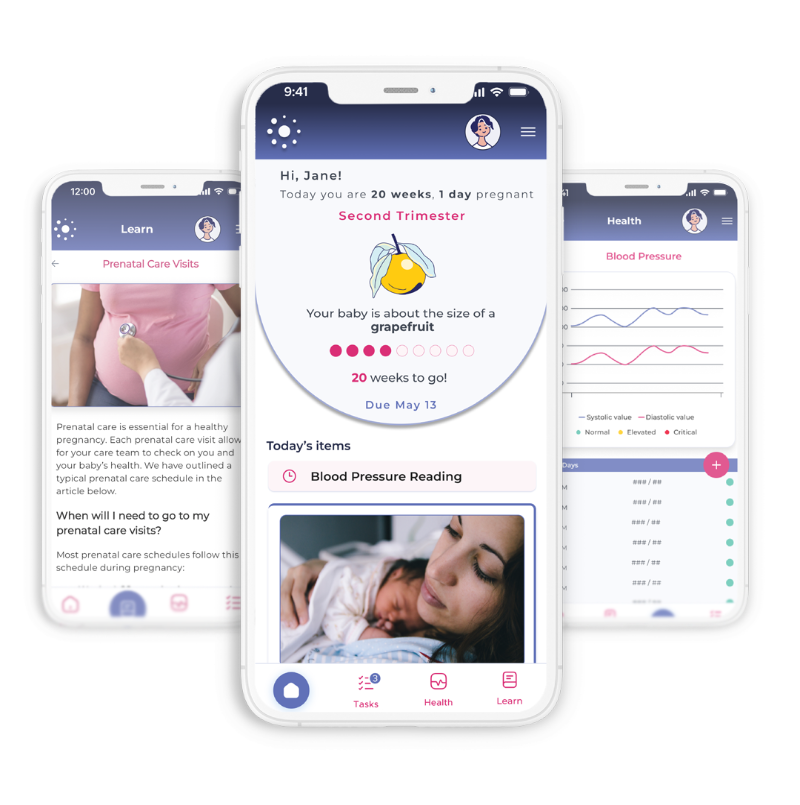
What is Babyscripts myJourney?
Your healthcare provider has given you access to a mobile app to educate, engage, and inspire you through every step of your pregnancy and postpartum journey. To help keep you and your baby safe, you will find the following within the app:
- A feed of daily customized content, from conception to your baby’s first birthday
- Provider-approved resources
- Weight monitoring
- Care team contact information
- Remote blood pressure monitoring (if ordered by provider)
Get Started Today!
- Download the App – Go to the app store on your device (iPhone App or Google Play ) . Search for and download “Babyscripts myJourney.”
- Enter Your Passcode
- Strength In You OBGYN patients will receive a personal passcode when they schedule an OB appointment. Enter the passcode you received via text message and email.
- Patients from other practices can enter the code MEMCARE.
- Complete Registration – Follow the step-by-step registration to finish setting up your account and get started!